

Have you ever felt that while listening to music or watching a video, a song suddenly plays and you think, “Which song is this?” I know how this feels. Last week, I was watching a video on YouTube. A catchy tune started to play. I liked melody too much. But I do not have any idea who is artist or even I do not know the name of song. I spent 15 minutes manually searching for the song. Frustrating, right?
If this has also happened to you, then don’t worry. Today I will tell you about the tools. It is the best Shazam alternative for PC that helps you identify songs, fix metadata, and organize your music library on Windows or Mac without needing a phone.
Why PC Users Need a Shazam Alternative
Listening to music on a PC is very different from mobile. You might:
- Stream YouTube or Spotify Web
- Watch a Netflix movie
- Play local MP3 files
…and suddenly, a song plays and you think: “Who sings this? What’s the name?”
Here’s the problem:
- Shazam works only on mobile
- No official Shazam desktop app exists for Windows or Mac
- System audio cannot be identified directly by Shazam
- Many local MP3 files have missing or wrong metadata
That’s exactly why a Shazam alternative for PC is essential. Plus, using music metadata tools keeps your library organized, saving time and frustration.
Music discovery has become part of a bigger digital culture that includes interactive online events and streaming-based entertainment.
Top Shazam Alternatives for PC (Windows & Mac)
I tried too many tools. Some of them were easy to use and some were difficult to understand. Some worked immediately, while others worked only after a few attempts or after completing several steps. No matter whether you are humming, identifying speaker audio, browser audio, or MP3 files. The right and accurate tool is always helpful.
1. AHA Music – Browser-Based Shazam Alternative for PC

AHA Music is a browser extension available for Edge, Chrome and Opera. If you listen to music online, then it’s better for you. Better thing is that AHA Music capture music directly from browser tab. So you do not need microphone. Fast and convenient.
Why I Love It:
One day I was reading a random blog. Instantly, a catchy song played in the background. I opened AHA Music. Guess what……..? Within only 10 seconds, it displayed the song and artist name. It saved my 15-20 minutes.
Best for: If you listen to online audio or watch online videos, then this tool is a top Shazam alternative for PC.
Pro Tip: Always keep your extension updated so that recognition becomes super fast and no song is missed.
2. SoundHound – Hum, Sing, or Capture Live Audio
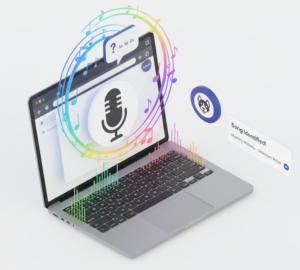
Sometimes, you only remember a melody. That’s where SoundHound shines.
- Works through your browser on PC
- Identify songs by humming, singing, or capturing live audio
- Large and reliable music database
Personal experience:
A song remains suspended in your mind for several days. Has this happened to you? It also happened to me. Single tune was running in my mind. I gave that tune to SoundHound … and wow!. Only in few seconds SoundHound identified the song and provided me with the complete song. Honestly, it was really like a magic.
Best for: SoundHound is best when music is playing through speakers or when you only remember the tune and nothing else.
3. Midomi – Melody-Based Song Finder
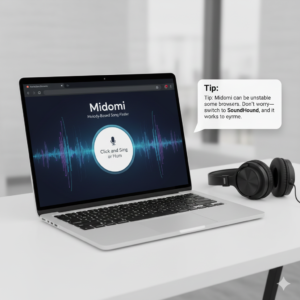
Midomi is another web tool powered by SoundHound, working on Windows and Mac.
- Recognizes songs by humming or melody
- Simple to use, browser-based
Tip: Midomi can be unstable on some browsers. Don’t worry—switch to SoundHound, and it works every time.
4. AudioTag – Music File Identifier
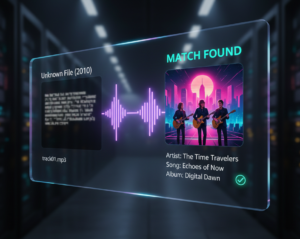
If your MP3 files are missing song name, artist, or album info, AudioTag is a lifesaver.
My experience:
I had an old folder of MP3s from 2010. Most songs had no artist or album info. I uploaded them to AudioTag, and almost all songs were identified within minutes. It saved me hours!
Best for: Downloaded or unknown audio files. It’s a powerful music file identifier and MP3 identifier.
Why Music Metadata Fixer Is Important
Its first step to identify a song. But some issues may still present in MP3 files like:
- Wrong artist name
- Missing album info
- Incomplete song title
- No album art
Before using metadata fixers, my music library was very messy. Mostly songs were saved with wrong names. Album covers were missing. Many songs had incorrect or incomplete information. I got confused every time I tried to make a playlist.
But now, after using MusicBrainz Picard and MP3 Tag, everything is neat and professional. The title, album, artist, and cover art of each song are in the perfect place.
Benefits:
- Clean and organized library
- Correct display in media players
- Easier search and playlist creation
Best Automatic Music Metadata Tagging Tools
- MusicBrainz Picard – Free, open-source, auto-fills artist, album, title, year, and cover art. Best for large libraries.
- MP3Tag – Manual + automatic tagging, lightweight, perfect for tweaking auto-tags.
- MediaMonkey – Advanced organization for professional users and large collections.
Tip: I run MusicBrainz Picard weekly to update my music. It saves me hours every month.
Other Useful Tools
- Audiggle – Windows desktop tool for internal audio capture
- MRA / FlairMax – AI-based desktop music identifiers
- Last.fm – Scrobbles your music and keeps listening history
I often combine tools depending on the situation—it’s much faster than relying on a single tool.
Simple Workflow for PC Song Identification
| Situation | Best Tool | Outcome |
| While song is playing on YouTube or a websitr | AHA Music | Instantly recognize song name, artist, and album |
| When song is playing through Speakers of PC | SoundHound | Identifies song by using microphone input |
| When only melody or tune is remembered | Midomi | Song is found by humming or singing |
| While only MP3 or audio file is available | AudioTag | Identifies the song from uploaded file |
| When Missing or incorrect MP3 data | MusicBrainz Picard | Fixes music metadata automatically |
| While you have wrong artist or album name | MP3Tag | Corrects music metadata manually or automatically |
Result: You can organize and identify 200+ songs only in 20 minutes. The good thing is that my music library remains clean, fresh, and perfectly managed. Moreover, the artist names, albums, and cover art of the songs are perfectly placed. It makes searching and creating playlists super-fast and easy. It is really time-saving and boosts the music listening experience to the next level.
Extra Tips
- Use high-quality audio
- Keep background noise low
- Update browser extensions regularly
- Batch process large libraries
These small habits save a lot of time and reduce frustration.
Conclusion
No matter if you do not have the native Shazam app on your PC. Shazam alternatives for PC are trusted and work amazingly well. These tools can change your music experience completely. AHA Music identifies browser audio songs immediately. SoundHound and Midomi can find songs for you from humming or melody. AudioTag gives immediate results for MP3 or audio files. Dedicated tool is available for each situation. So you will not miss your favorite song.
The best part is that when you combine MusicBrainz Picard with MP3Tag, your library looks organized and professional. The album, artist, and cover art of each song remain perfect. Searching and making playlists become easy.
Easy formula: Identify → Fix metadata → Organize library
Try these tools. You will wonder how you ever managed without them!
Want to explore more content like this? Visit Its Quality Time.